How to register a Redot Pay card → Google Wallet → Samsung Galaxy
From installing the Google Wallet APK to registering your ReddotPay Visa card, all in one place!
Why RedotPay Cards Need to Be Registered in Google Wallet
If you're using a Samsung Galaxy phone, you'll need to register Google Wallet to make NFC payments.
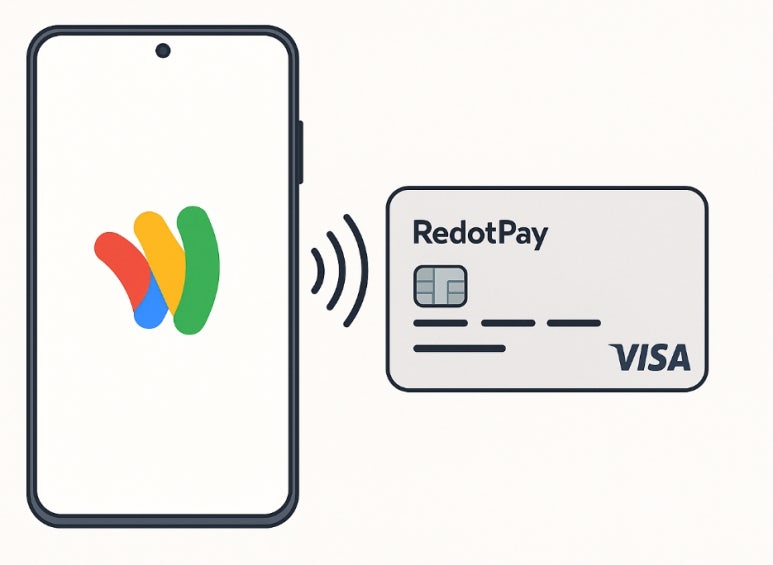
Registering your Redot Pay (Redot Pay) Visa card with Google Wallet allows you to make quick and easy contactless payments when traveling abroad or shopping online.
However, in Korea, there are cases where Google Wallet is not searchable in the Play Store, so I will tell you how to proceed by installing the APK.
We've outlined step-by-step instructions for registering your RedotPay card with Google Wallet on your Samsung Galaxy phone and using NFC payments.
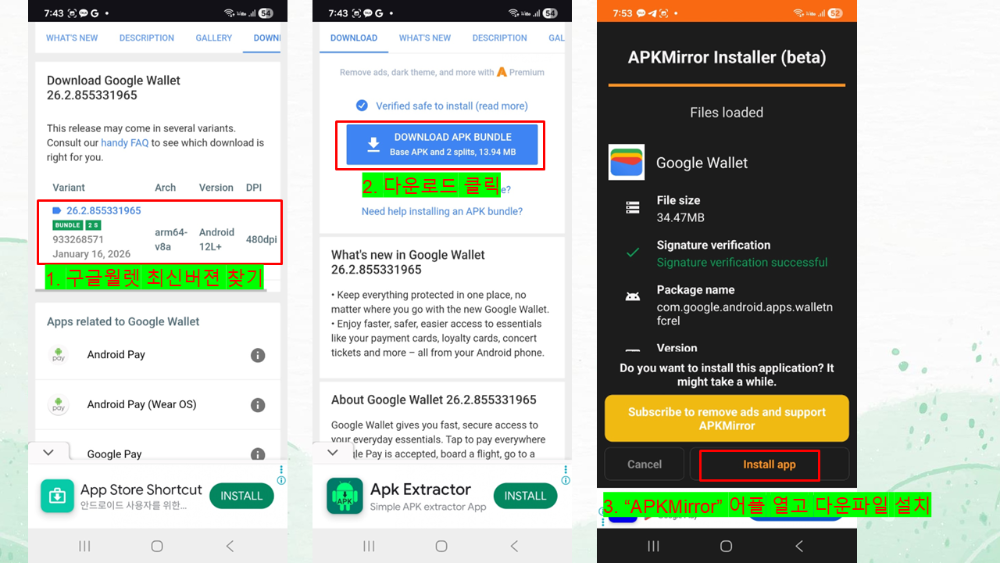
If you cannot find the Google Wallet app in the Google Play Store, you can install it using the APK.
1. Checklist of supplies
item
Whether necessary
How to check
Reddot Pay Card
necessary
Reddotpay app → Card issuance
Samsung Galaxy phone
necessary
Android 8.0 or later
NFC support
necessary
Settings → Connections → Turn on NFC
Google account
necessary
Check Google login status
Allow APK installation
necessary
Settings → Security → Allow installation of unknown apps
Google Wallet is available in Korea.
Please check your country settings.
2. How to install the Google Wallet app (APK)
If you don't see Google Wallet in the Google Play Store, try the method below.












 Redotpay
 Redotpay EVENT




 Copyright © 2024 RedotPay. All Rights Reserved.